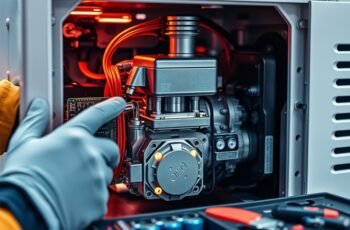
Think of your inverter generator as a finely tuned instrument, requiring careful adjustments to maintain ideal performance. When it encounters issues, a reset becomes essential to restore functionality. Understanding the precise steps to safely reset your generator can prevent damage and ensure reliable operation. As we explore the correct procedures, you’ll discover how to troubleshoot common problems effectively—a critical skill that can save time and avoid costly repairs. Let’s start by examining when and why a reset might be necessary.
Key Takeaways
- Turn off the generator and disconnect the power source before resetting.
- Locate and press the reset button for 3-5 seconds until it clicks or an indicator signals reset.
- Allow the generator to idle for a few minutes after resetting to stabilize components.
- Check for overloads or warning indicators and address any issues before restarting.
- Perform regular maintenance, like cleaning filters, to prevent the need for frequent resets.
Understanding Why Your Inverter Generator Needs Resetting
When your inverter generator stops functioning properly, it’s often due to a safety or overload condition that triggers a reset requirement. This safeguard prevents damage to internal components, maintaining overall system integrity. Overloading the generator can reduce fuel efficiency, as the system attempts to compensate for increased demand, leading to higher fuel consumption. Additionally, an overload often causes elevated noise levels, signaling that the generator is working harder than intended. Resetting is necessary to clear these protective measures and restore normal operation. Understanding these conditions helps prevent unnecessary resets and guarantees the generator operates efficiently. Proper management of load capacity and awareness of noise levels can prolong your generator’s lifespan and optimize fuel consumption, making resets a regular part of maintenance rather than a sign of failure.
Identifying Common Signs That Indicate a Reset Is Needed
Recognizing the signs that indicate a reset is needed is essential for maintaining your inverter generator’s performance. Common indicators include a significant drop in fuel efficiency, irregular engine startup, or inconsistent power output. Battery maintenance issues, such as difficulty in starting or fluctuating voltage, also signal the need for a reset.
| Symptom | Possible Cause | Action Needed |
|---|---|---|
| Reduced fuel efficiency | Clogged fuel filters | Reset system, clean filters |
| Engine misfires | Battery or ignition issues | Reset, check connections |
| Power fluctuations | Voltage regulation problems | Reset, inspect regulator |
| Hard engine startup | Battery drain or fuel issues | Reset, perform maintenance |
| Unusual noise | Mechanical or electrical fault | Reset, diagnose components |
Preparing Your Inverter Generator for a Safe Reset
Before initiating a reset on your inverter generator, it’s vital to confirm the unit is safely prepared to prevent damage or injury. Ensure the generator is turned off and cooled down to avoid burns and mechanical issues. Disconnect any external loads to prevent electrical surges during reset. Confirm the fuel tank contains adequate fuel to maintain fuel efficiency post-reset, and check for any leaks or blockages that could impair operation. Additionally, verify that the ventilation area is clear to facilitate noise reduction and prevent overheating. Proper preparation minimizes the risk of internal component damage and ensures stable operation afterward. Taking these steps guarantees a safe reset process, maintains optimal fuel efficiency, and supports noise reduction during subsequent use.
How to Turn Off and Unplug Your Inverter Generator Properly
To properly turn off and unplug your inverter generator, we must follow a specific sequence to guarantee safety and prevent damage to the unit. Proper shutdown procedures help maintain fuel efficiency and control noise levels during operation. First, allow the generator to run under no load for a few minutes to stabilize internal components. Next, turn off any connected devices to prevent power surges. Finally, switch the main power switch to the “Off” position and disconnect all cables.
Always run your inverter generator without load first, then turn off devices, switch off the main, and disconnect cables for safe shutdown.
- Ensure the generator is on a level surface before shutdown
- Let the engine cool down to preserve fuel efficiency and reduce noise levels
- Store the unit in a dry, ventilated area to prevent corrosion and maintain performance
Resetting Your Inverter Generator: Step-by-Step Instructions
Resetting your inverter generator is a straightforward process that guarantees the unit functions correctly after troubleshooting or maintenance. Begin by confirming the generator is turned off and unplugged from any devices. Locate the reset button, typically on the control panel or near the fuel tank. Press and hold the reset button for approximately 3-5 seconds until you hear a click or see an indicator light activate. This action resets the internal circuitry, helping maximize fuel efficiency and noise levels. After resetting, allow the generator to run idle for a few minutes to stabilize. Proper reset procedures ensure the inverter operates smoothly, maintains ideal fuel consumption, and minimizes noise output during subsequent use. Always consult your model’s manual for specific reset instructions.
Troubleshooting Persistent Issues After Resetting
Despite completing the reset process, persistent issues may still occur if underlying faults remain unaddressed. These faults can affect fuel efficiency and noise levels, hindering ideal generator performance. To troubleshoot effectively:
- Inspect fuel components: Blockages or leaks can impair combustion, reducing fuel efficiency and increasing noise.
- Check for sensor malfunctions: Faulty sensors may cause irregular engine operation, affecting both noise levels and fuel consumption.
- Evaluate load capacity: Overloading the generator can lead to overheating or performance drops, impacting fuel efficiency and producing unusual noise.
Addressing these issues requires precise diagnostics. Ignoring underlying faults risks further damage, resulting in continued inefficiency and undesirable noise emissions.
When to Consult a Professional for Inverter Generator Repairs
While basic troubleshooting and resets can resolve many inverter generator issues, there are instances when professional intervention becomes essential. If you notice persistent declines in fuel efficiency or abnormal increases in noise levels despite troubleshooting, it’s time to consult a technician. These symptoms often indicate underlying mechanical or electrical faults that require specialized diagnostics. For example, reduced fuel efficiency may result from carburetor problems or worn components, while excessive noise could signal engine imbalance or faulty insulation. Attempting repairs beyond simple resets risks further damage and safety hazards. Professionals can accurately identify complex issues using diagnostic tools, ensuring proper repairs are performed efficiently. Recognizing these signs early helps maintain ideal performance and prevents costly breakdowns.
Tips for Maintaining Your Inverter Generator to Prevent Future Reset Needs
Maintaining your inverter generator involves routine tasks such as regular oil changes, cleaning air filters, and avoiding overload conditions. These practices help guarantee peak performance and reduce the likelihood of resets caused by mechanical or electrical issues. Consistent adherence to these maintenance steps is essential for long-term reliability.
Regular Oil Changes
How often should you change the oil in your inverter generator to guarantee peak performance? Regular oil changes are essential for maximum fuel efficiency and noise level management. Fresh oil reduces internal friction, ensuring efficient engine operation and preventing overheating, which helps avoid resets. It also minimizes wear on critical components, extending the generator’s lifespan.
- Change the oil every 50-100 hours of operation, or as specified by the manufacturer.
- Use high-quality, manufacturer-recommended oil to maintain proper viscosity and performance.
- Check oil levels regularly to identify potential leaks or consumption issues early.
Consistent oil maintenance keeps the engine running smoothly, reducing the likelihood of resets caused by overheating or component failure, while also optimizing fuel efficiency and keeping noise levels minimal.
Keep Air Filters Clean
Have you checked your air filters recently? Proper air filter maintenance is crucial for ideal inverter generator performance. Clogged or dirty filters restrict airflow, causing the engine to work harder and increasing the risk of overheating or shutdowns. Regular inspection and cleaning of air filters ensure unobstructed airflow, which helps maintain engine efficiency and reduces strain on internal components. Additionally, maintaining high fuel quality minimizes contaminants that can clog filters prematurely, extending their lifespan. When cleaning, use a brush or compressed air to remove debris carefully, and replace filters if they show signs of wear or damage. Keeping air filters clean not only enhances performance but also prevents potential issues that might lead to generator resets. Consistent air filter maintenance is an important step in reliable generator operation.
Avoid Overloading Generator
Are you aware that overloading your inverter generator is one of the leading causes of unexpected resets and damage? Overloading strains the unit’s components, reducing fuel efficiency and increasing noise levels, which can lead to overheating or shutdowns. To maintain optimal performance and longevity, it’s crucial to monitor load demands carefully.
- Know your power needs: Calculate the wattage of connected devices to avoid exceeding the generator’s rated capacity.
- Distribute workloads: Spread out high-power appliances to prevent sudden surges that can overload the system.
- Regularly inspect and maintain: Keep the generator’s internal components clean and well-maintained, ensuring efficient fuel consumption and noise reduction.
Adhering to these practices helps prevent resets and prolongs your inverter generator’s lifespan.
Safety Precautions to Keep in Mind During the Reset Process
Before initiating the reset process, it’s essential to prioritize safety to prevent injury or equipment damage. Make certain the generator is turned off and unplugged from all loads. Disconnect the battery if accessible, especially if performing a battery replacement, to avoid electrical shock. Confirm that the fuel supply is shut off to prevent leaks or fire hazards, maintaining fuel efficiency during the reset. Use insulated tools and wear protective gear to prevent accidental sparking or contact with hot surfaces. Avoid resetting the generator while it’s still hot or running, as this increases the risk of injury. Follow manufacturer instructions precisely, and verify that all safety mechanisms are engaged before proceeding. Proper safety precautions safeguard both your well-being and the generator’s longevity during the reset process.
Frequently Asked Questions About Resetting Inverter Generators
Understanding common resetting errors and the correct procedure steps is essential for effective inverter generator maintenance. We’ll address typical mistakes and outline precise instructions to guarantee a proper reset. This clarity helps prevent damage and reduces downtime during troubleshooting.
Common Resetting Errors
Resetting an inverter generator can sometimes lead to common errors that hinder proper operation or cause damage. These mistakes often involve neglecting essential maintenance steps, such as verifying battery maintenance, which affects starting reliability, or ignoring fuel efficiency considerations that impact overall performance. Improper resets may also result from attempting to force a reset without addressing underlying issues like voltage fluctuations or overload conditions.
- Failing to disconnect the battery before resetting, risking electrical damage.
- Ignoring warning indicators related to fuel efficiency or overload conditions.
- Resetting without ensuring proper cooling and ventilation, which can cause overheating and damage components.
Being precise with the reset process helps maintain ideal battery health and fuel efficiency, preventing costly repairs and downtime.
Resetting Procedure Steps
To effectively reset an inverter generator, we need to follow a series of precise steps designed to restore ideal operation. First, turn off the generator and disconnect it from any load to prevent strain during the reset process. Next, locate and press the reset button—usually near the control panel—holding it for a few seconds. This action clears fault codes that may impair fuel efficiency and cause unnecessary noise. If issues persist, restart the generator and allow it to run at a low, steady load to enhance fuel consumption and noise reduction. Ensuring proper reset procedures helps maintain optimal fuel efficiency and minimizes noise levels, ultimately prolonging the generator’s lifespan and improving overall performance.
Frequently Asked Questions
Can Resetting Fix All Inverter Generator Problems Permanently?
Resetting can resolve many inverter generator issues temporarily, but it’s not a permanent fix. Regular maintenance tips and troubleshooting steps are essential for long-term reliability, as underlying problems may persist despite resets.
How Often Should I Reset My Inverter Generator?
We recommend resetting your inverter generator only during troubleshooting, following a maintenance checklist, and when specific error codes appear. Frequent resets aren’t necessary and may mask underlying issues; consult troubleshooting tips to determine proper reset intervals.
Is It Necessary to Reset After Each Use?
We don’t need to reset our inverter generator after every use, but following maintenance tips and troubleshooting steps guarantees peak performance. Resetting occasionally prevents minor issues from escalating, maintaining the generator’s efficiency and prolonging its lifespan.
Will Resetting Affect the Generator’s Warranty?
Resetting an inverter generator generally doesn’t void the warranty if done correctly following the manufacturer’s resetting procedures; however, warranty considerations vary, so it’s essential to consult your warranty policy and verify proper resetting methods to avoid issues.
Can I Reset My Inverter Generator Without Professional Help?
We can often reset our inverter generator ourselves by following troubleshooting steps and maintenance tips outlined in the manual, but if unsure, seeking professional help guarantees safety and prevents warranty issues. Always prioritize proper diagnostics.
Conclusion
Think of your inverter generator as a finely tuned orchestra; when one instrument falters, a simple reset can bring harmony back. By following the correct procedures, we guarantee each component plays its part seamlessly. Properly resetting and maintaining your generator is like conducting a symphony—precision and care prevent discord. With these steps, you’re equipped to keep your power source reliable and efficient, ensuring it performs flawlessly whenever you need it most.